Changelog
This page tracks notable changes to the Yattee ecosystem.
Yattee App
2.0.0 (269)
New Features
- Add embedded audio/subtitle track selection for multi-track files
- Add loading external subtitle files for media-source playback
- Add view options and search to playlists list view
- Show and label WebDAV/SMB video streams in the quality selector
Bug Fixes
- Fix timed links resuming at watch position instead of URL timestamp
- Fix autoplay countdown showing in repeat one queue mode
- Fix double-tap fullscreen gesture rotating on portrait videos
- Fix sending extracted videos (Twitch streams) to other devices
- Fix missing thumbnails for videos saved to library
- Make subtitle appearance settings adjustable on tvOS
- Scope subscription counts and import/export to the active account
- Switch MPVKit to Yattee fork with AV1 VideoToolbox session recovery
- Fix startup crash in sideloaded builds without iCloud entitlements
- Allow screen sleep during audio-only playback
- Apply thumbnail fallback everywhere a single URL was rendered
- Stop tracking resume progress for live streams
- Label local-file video quality from mpv track info instead of Unknown
- Keep macOS player fullscreen when queue advances to different-aspect video
- Fix Picture in Picture geometry glitches from invalid window rects
2.0.0 (268)
New Features
- Show missing-credentials indicator for remote server sources
Bug Fixes
- Fix black video, freezes, autoplay and clock on Apple TV HD (A8)
- Fix crash in OpenGL layer initialization on macOS 27 beta
- Fix transparent background of iCloud sync overlay on tvOS
- Fix some reported crashes
2.0.0 (266)
Improvements
- Make Enable Logging the master switch over all verbose logging
Bug Fixes
- Fix macOS legacy import sheet missing grouped form style
- Fix tvOS legacy import rows acting as a single Remove button
- Fix periodic tvOS playback stutter from render stalls
2.0.0 (264)
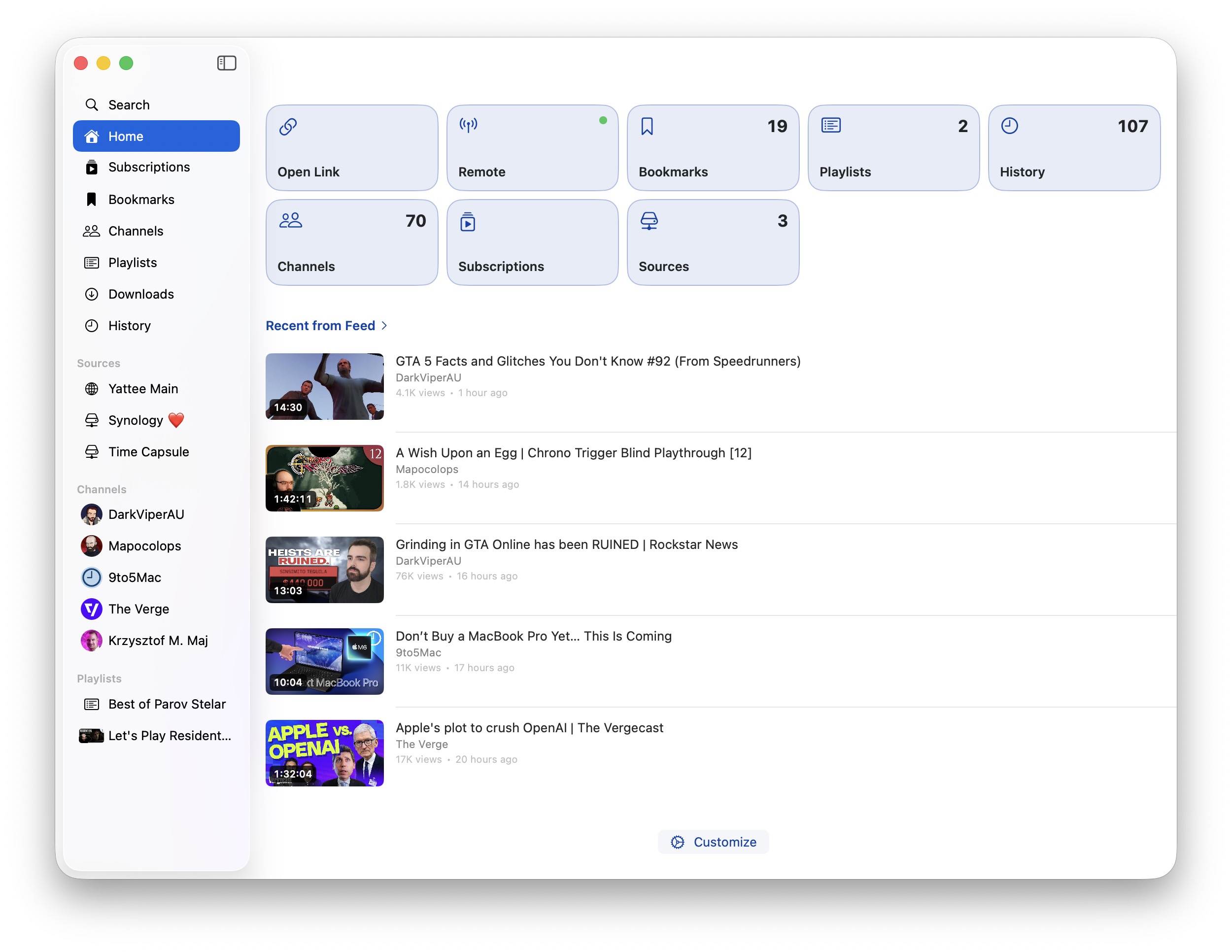
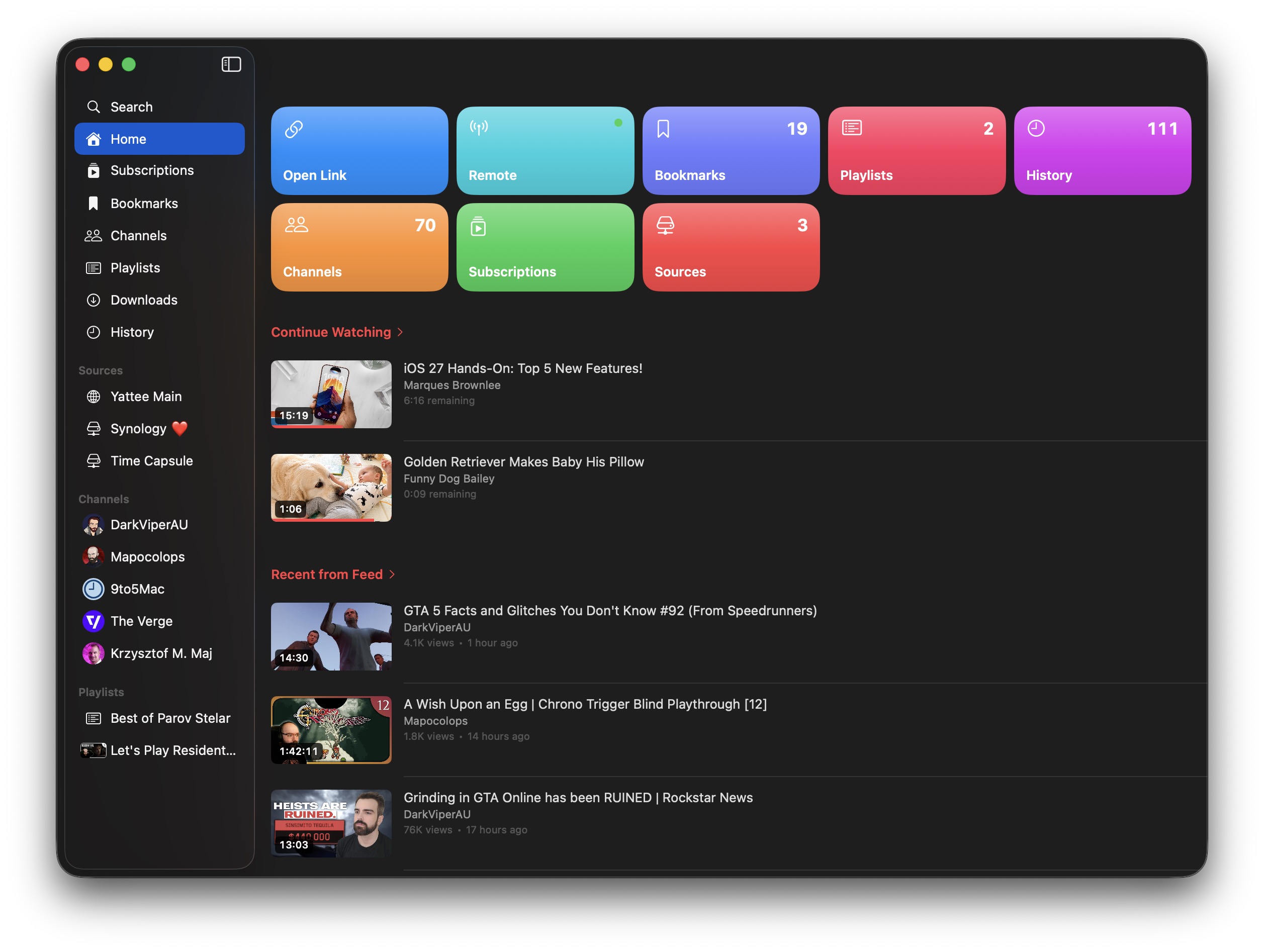
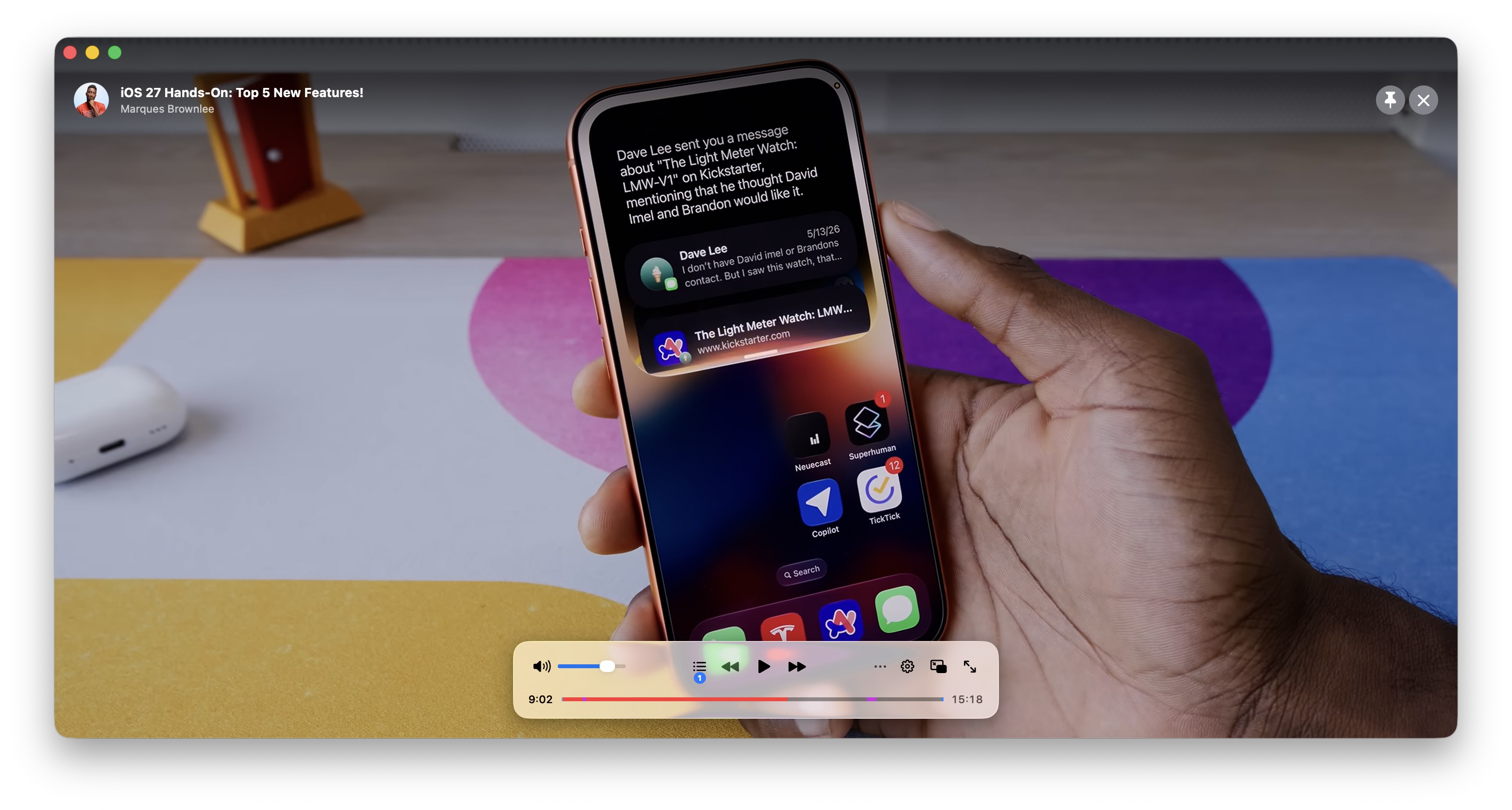
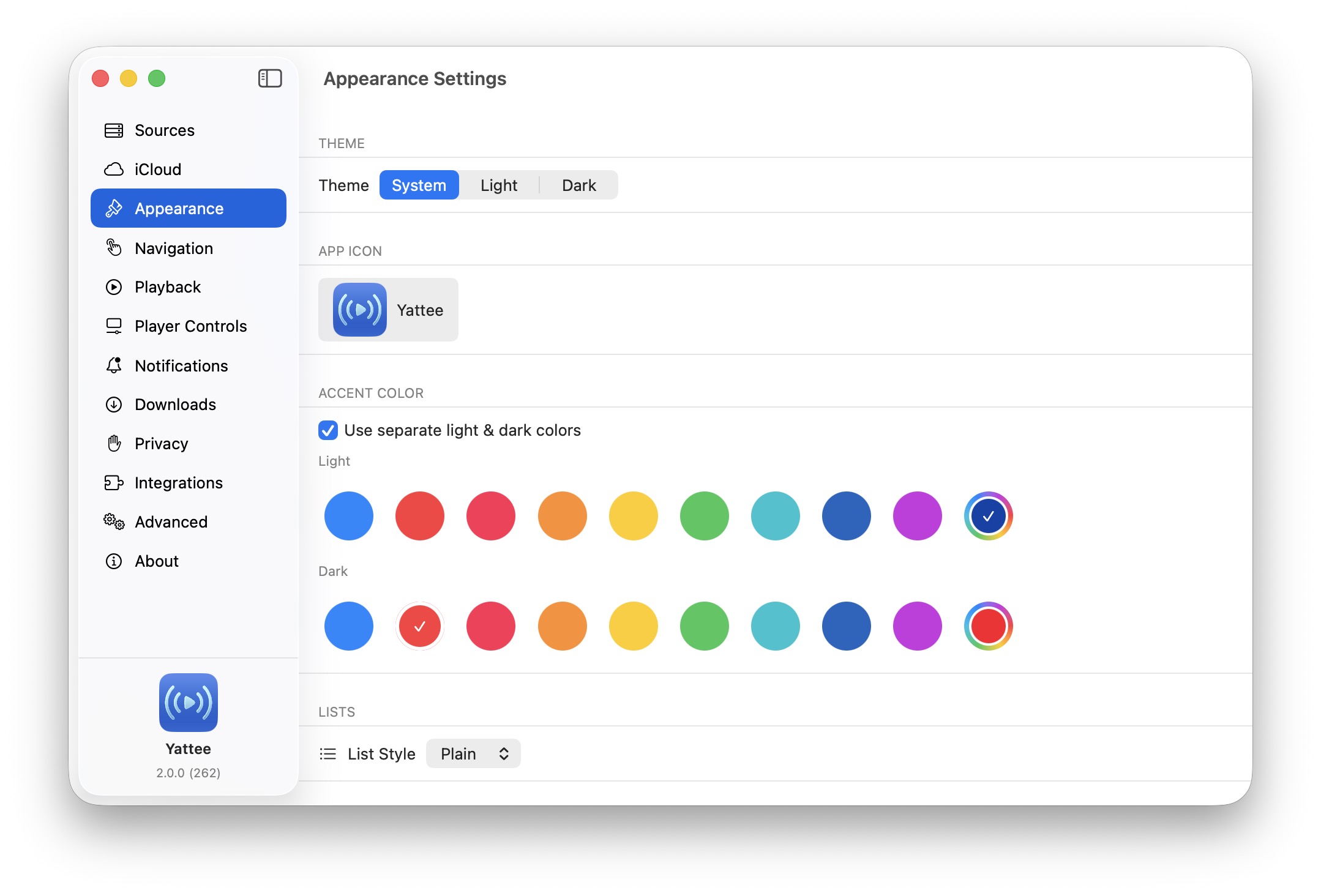
macOS support — Yattee 2 arrives on the Mac with its first public beta. It brings the full Yattee 2 experience to the desktop with a native interface: a dedicated player window with fullscreen and stay on top option, Picture in Picture, customizable and movable player controls, keyboard shortcuts, and other features present in the iOS app.
The macOS app is available via TestFlight, or as a notarized direct download from GitHub Releases that keeps itself up to date with built-in automatic updates.
General
New Features
- Add audio-only music mode, available in video player settings and player controls button
- Add custom accent color setting with system color picker and separate light and dark mode colors
- Redesign Home shortcut cards with layout, color, and palette options and a live style preview
- Add Edit Shortcuts and Hide options to Home shortcut context menus
- Add pause, resume, and cancel context menu to download rows
- Add manual legacy account import and allow importing account-less legacy instances as sources
Improvements
- Rework iCloud sync engine for more reliable syncing; resume sync from saved state instead of re-fetching everything
- Sync watch progress when a video plays to the end and when the app goes to the background
- Fall back to lower-quality thumbnails when higher-resolution variants are unavailable
- Apply the selected theme at the window level so it takes effect everywhere
Bug Fixes
- Fix disabling Background Playback having no effect
- Fix downloads never finishing and a crash on download completion
- Fix missing storyboards when advancing to the next queued video
- Fix live videos shown in the mini player bar
- Fix crash when opening the share sheet on iPad
- Fix rare data loss when the app is suspended in the background
- Fix iCloud sync conflicts for recent channels, playlists, and watch progress
- Fix Sources home shortcut counting disabled instances
iOS
- Use toolbar search placement on iPad channel view
tvOS
- Add A/V sync diagnostics settings page
- Default Channels grid to 5 columns
- Fixes for some reported playback issues
2.0.0 (261)
General
New Features
- Add Allow Software-Decoded Formats playback setting
- Add Show Sidebar toggle to Subscriptions view options
- Render clickable links and timestamps in comment text
- Route YouTube links tapped in descriptions through in-app playback
- Resolve URL shorteners and prompt for ambiguous description links
- Rename YouTube Enhancements settings to Integrations and move above Advanced
- Show watch progress bar on thumbnails in playlist, channel, and search views
Bug Fixes
- Resume and seek when reopening the currently-loaded video
- Refresh track list when advancing to the next queued video
- Suppress stale player error after switching videos mid-retry
- Surface mpv error details on stream load failure
- Fix local folder playback after app container UUID changes
- Skip local-folder watches from iCloud sync
Sources & Backends
- Surface clearer error when adding a Piped frontend URL
- Send Piped session token in the Authorization header again
- Block HTTP Basic Auth proxy for Piped sources
- Cache and prewarm Invidious proxy auto-detection
- Route Yattee Server playback through
/proxy/relaywhen "Proxy Videos" is on
Improvements
- Prefetch fresh video thumbnail before swapping it into the info view
- Stabilize thumbnail cache across rotating URL tokens to avoid reloads
- Tweak Subscriptions view options sheet layout
iOS
- Add channels sidebar to Subscriptions on iPad
- Round player seek bar and show the scrubber only while dragging
- Add interactive swipe-to-dismiss for toasts
tvOS
New Features
- Add press-and-hold continuous seek on the d-pad
- Expose Background Playback toggle (default off)
- Add Show Sidebar toggle to the Subscriptions view
- Add display frame rate and dynamic range matching
- Show cached channel header while the channel loads
- Live-seek the scrubber and auto-commit on idle; pause playback on entering scrub mode
- Keep player controls visible on pause via an on-screen button
- Show playback failure overlay; dismiss player panels when playback fails
Bug Fixes
- Fix MPV startup playback stability
- Fix MPV Options focus and Add/Edit sheet layout
- Fix pickers
- Fix soft-lock in import views when no rows are focusable
- Unstick focus dead-ends in channel views
- Make detail dismiss button opt-in and unstick more views
- Dismiss sidebar detail pages when sidebar selection changes
- Suppress Now Playing while an AirPlay/HomePod route is active
- Hide feed channel filter strip
- Enforce minimum 2 grid columns
- Prevent focus shadow from clipping between Home sections
Improvements
- Convert settings and queue to half-screen panels; constrain details panel to the right half
- Make the watched checkmark more prominent on thumbnails
- Use light glass background for player control buttons; black icons on focused buttons for legibility
- Match play button background to prev/next transport buttons
- Remove the close button from the MPV debug stats overlay
- Present instance login as a full-screen cover
2.0.0 (259)
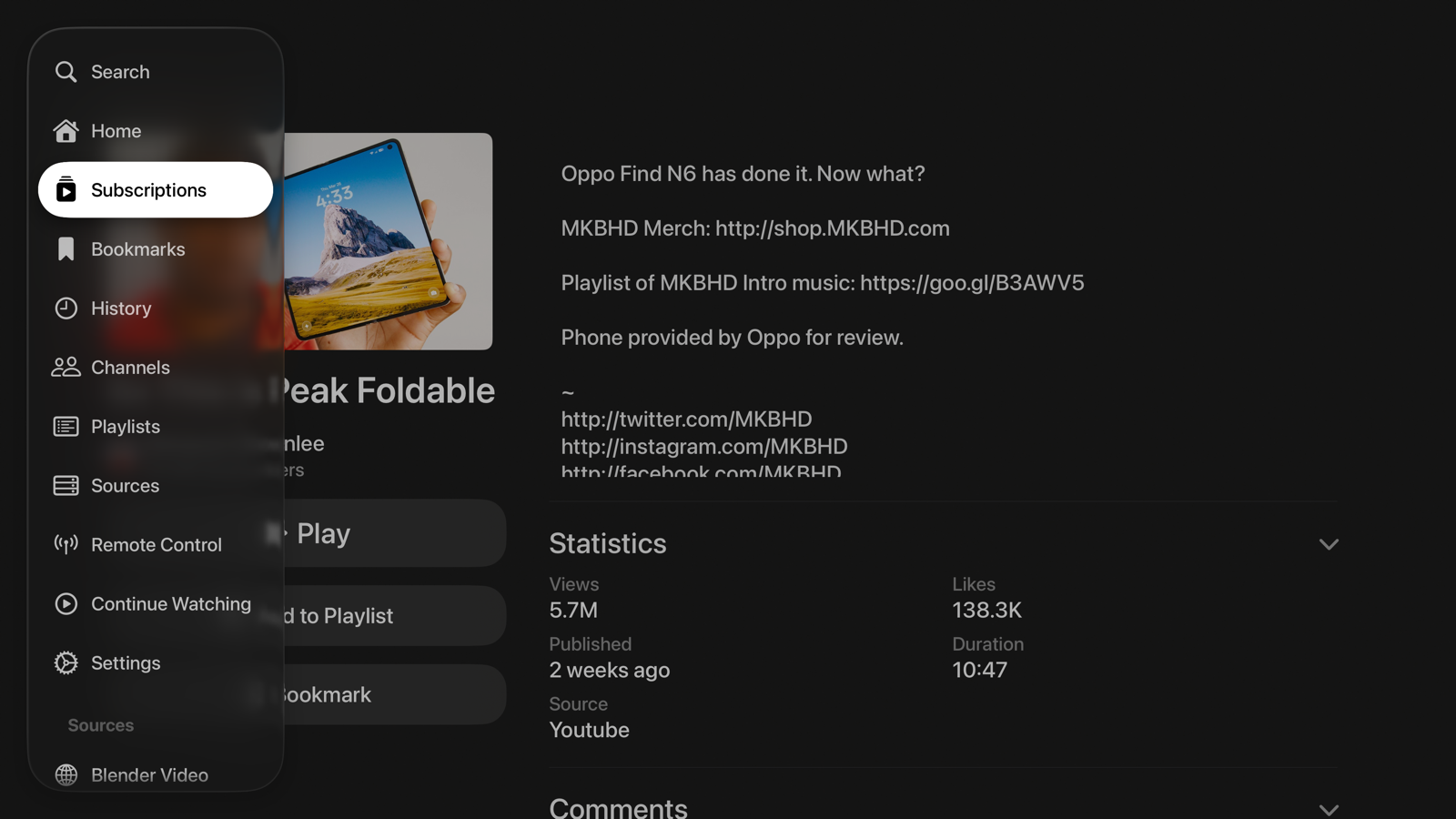
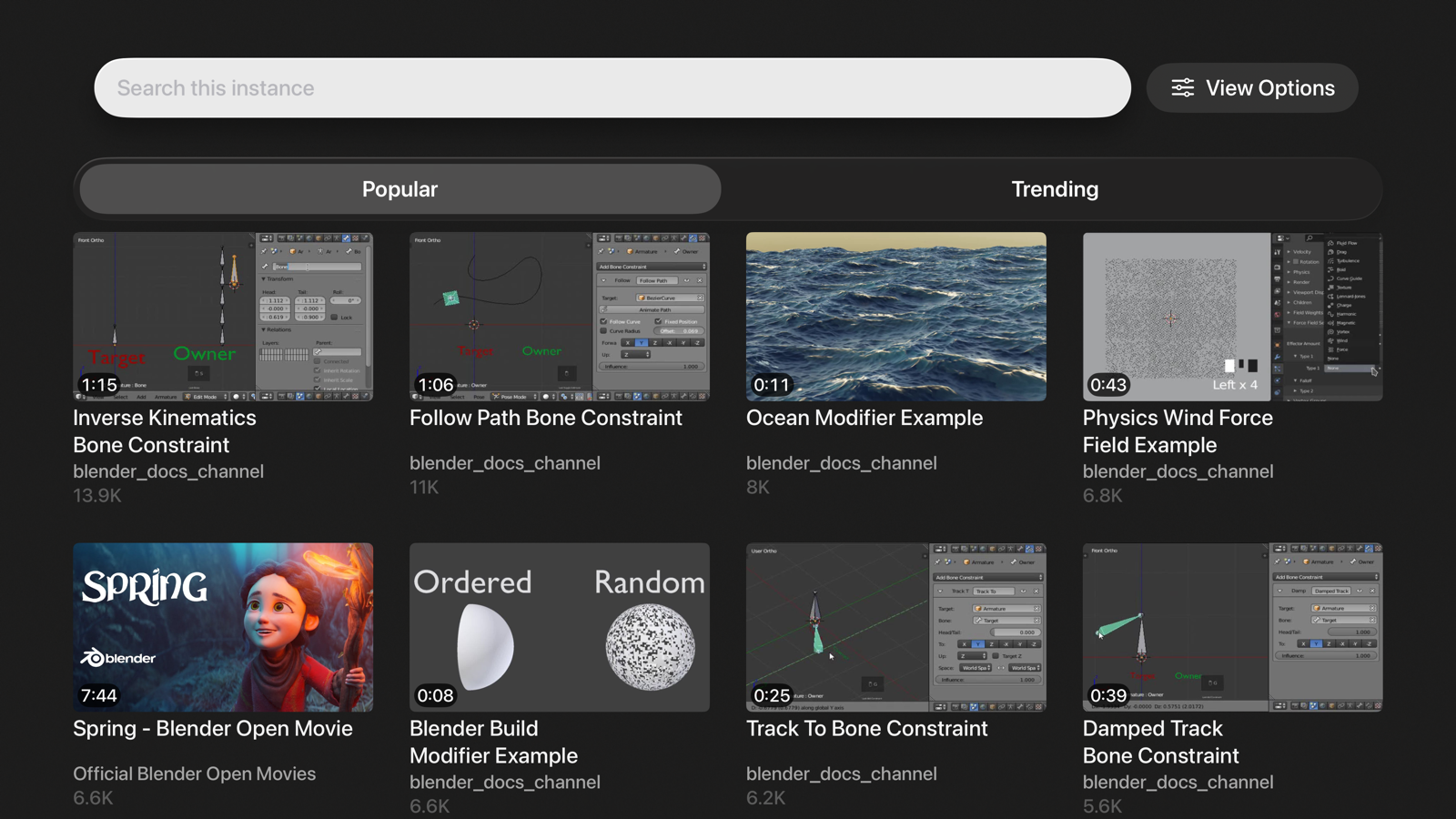
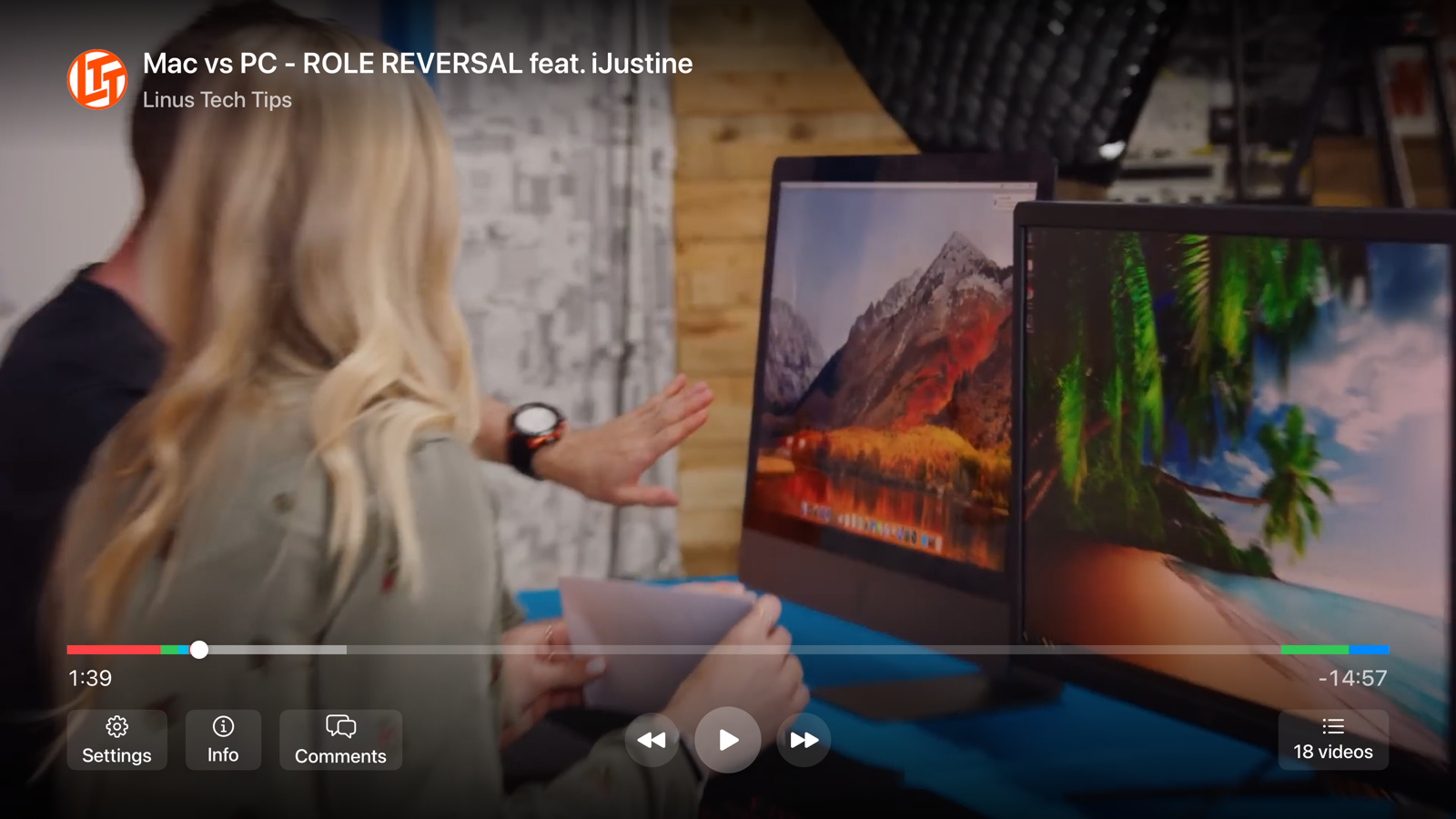
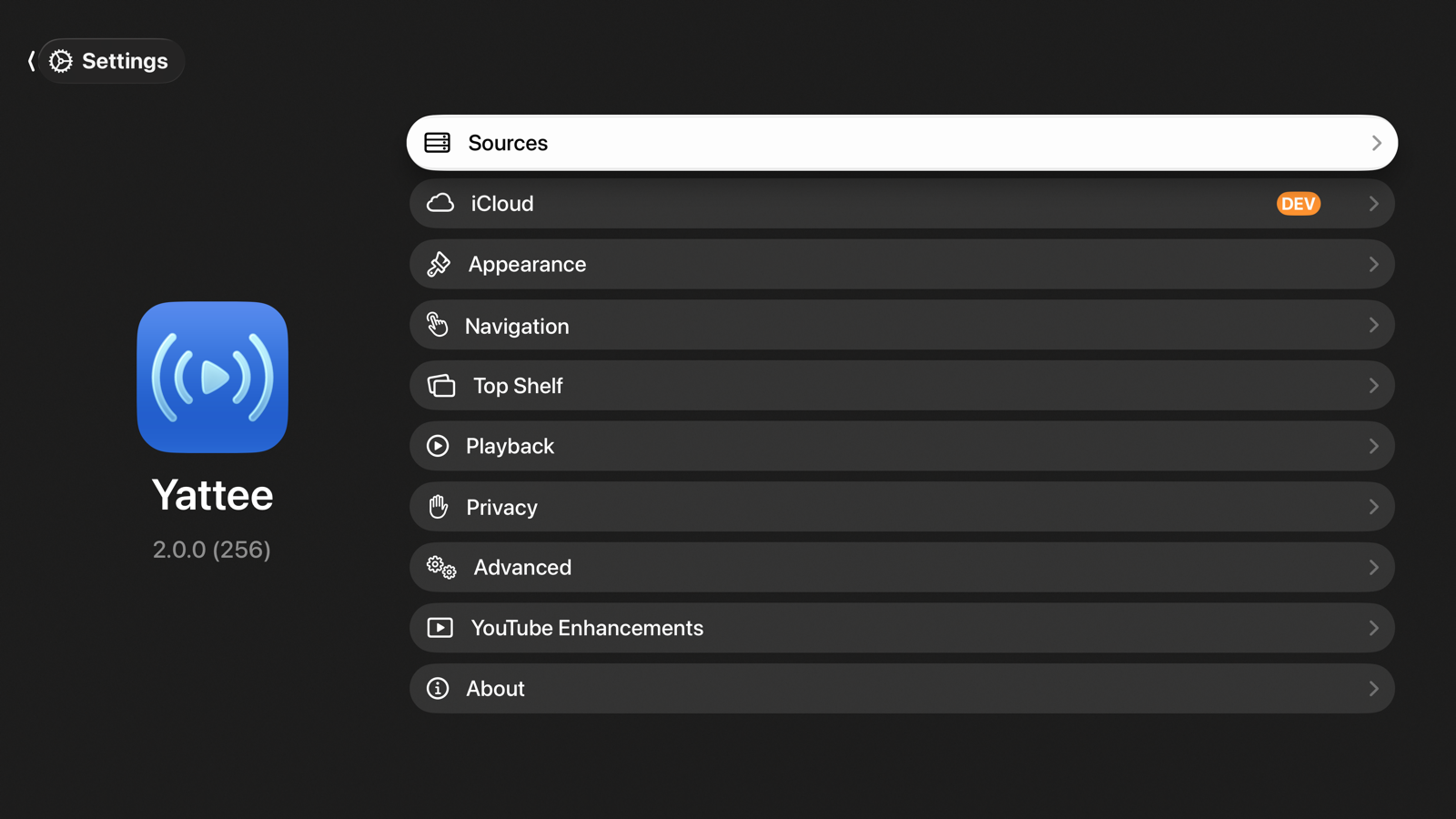
tvOS support — Yattee 2 is now available on Apple TV via TestFlight, bringing many new features with a native interface built for the large-screen layout
- Redesigned player controls with a seek bar and storyboard support
- Sidebar navigation
- Two-column layouts for Video Info, Channel, Playlist detail, Subscriptions, and setting screens
- Top Shelf extension
New Features
- Add List/Grid layout option for Home sections
- Add Playlists entry to sidebar main navigation
- Add Continue Watching toggles to tab bar and sidebar settings
- Replace onboarding flow with silent v1 import and iCloud alert
Improvements
- Store higher-quality YouTube thumbnail URLs in recent playlists
- Refresh expired thumbnail URLs for downloads and video info
- Show video title placeholder while thumbnails load
- Respect video tap action settings in the media browser
Bug Fixes
- Fix storyboard downloads with Yattee Server direct YouTube URLs
2.0.0 (256)
New Features
- Show seek time preview when no storyboards are available
- Add separate glass capsule for chapter title above seek preview
Improvements
- Deduplicate time formatting and clean up unused code
- Update packages
Bug Fixes
- Fix 5 TestFlight crash types from builds 250-254
- Fix HTTP basic auth credentials being stripped from instance URLs
- Fix Home view showing zero counts after returning from background
- Fix HomeView data staleness on new watch entries, tab switches, and settings dismissal
- Fix missing leading padding on instance content section headers
2.0.0 (254)
New Features
- Add video proxy support for Invidious/Piped instances
Bug Fixes
- Fix CFNetwork SIGABRT crash when creating download tasks on invalidated session
- Fix BGTaskScheduler crash by moving registration to App.init()
- Fix Piped relatedStreams decoding crash on missing fields
2.0.0 (253)
New Features
- Persist media browser view options per source
- Add Enable All / Disable All menu to channel notifications settings
- Add context menu and swipe actions to related videos in Video Info View
- Persist author cache to disk for instant channel info across restarts
Improvements
- Change default player layout settings
- Show video thumbnail in mini player during PiP
- Update media browser view options sheet layout
- Move close video button from toolbar into now playing card in Remote Control
Bug Fixes
- Fix deleted playlists resurrecting from iCloud after app restart
- Fix feed channel filter avatars showing placeholders instead of images
- Fix Invidious login failing for passwords with special characters
- Fix subscriber count layout shift in Video Info View channel row
- Fix Feed tab flashing Content Unavailable View on initial load
- Fix blurred background gradient not using DeArrow thumbnail
- Fix playlist rows in Channel View not tappable in empty space
- Fix lock screen always showing 10s seek regardless of system controls setting
- Fix player dismiss gesture stuck after panel dismiss with comments expanded
- Fix incomplete playlist loading by paginating through all pages
- Fix pull-to-refresh scroll offset not resetting in Instance Browse View
- Fix panscan zoom pushing controls off screen for portrait videos
2.0.0 (250)
Complete rewrite of Yattee with more robust MPV implementation, redesigned navigation, customizable player controls and gestures, iCloud data and settings sync, video downloads, and multi-source support.
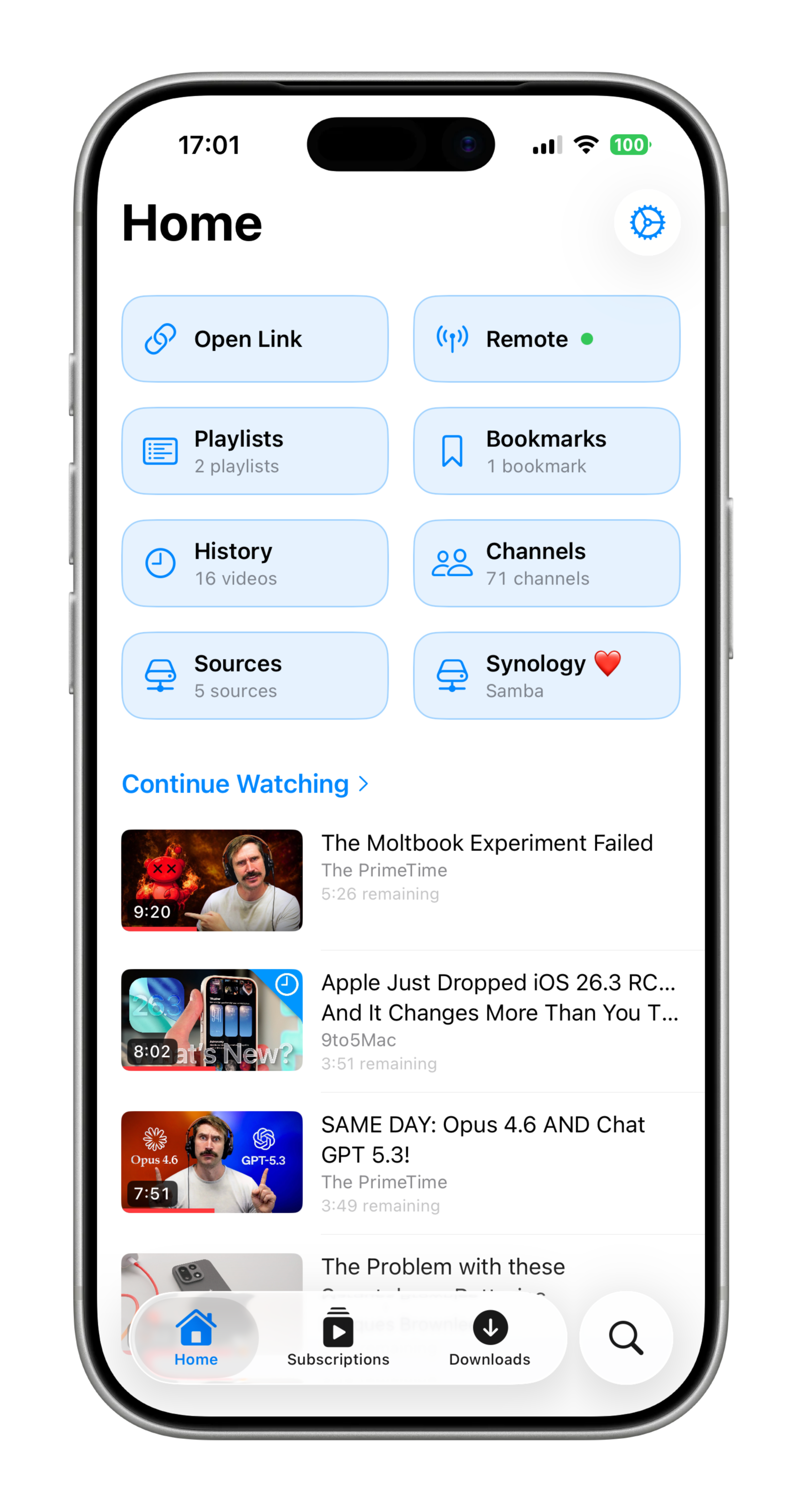
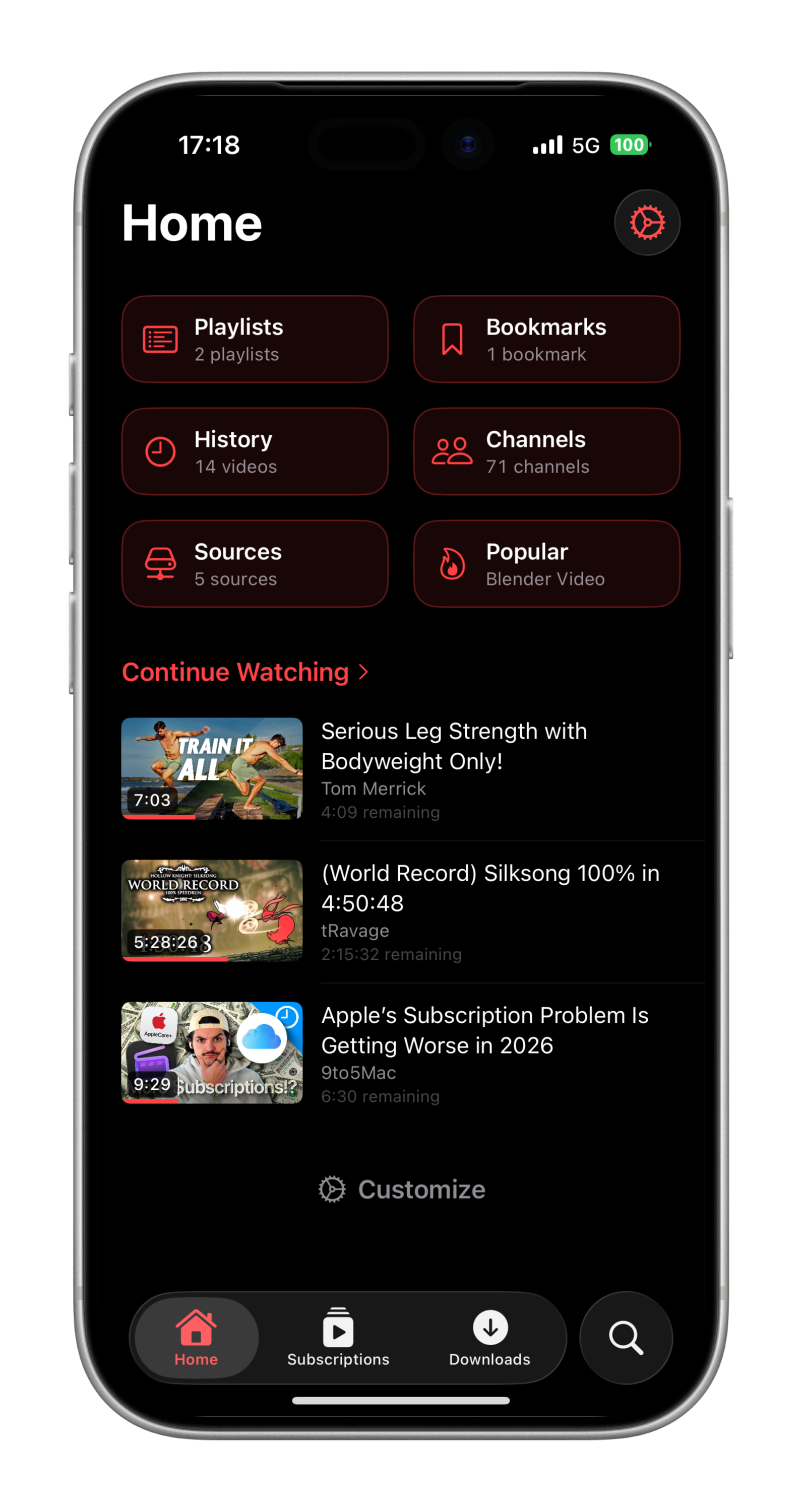
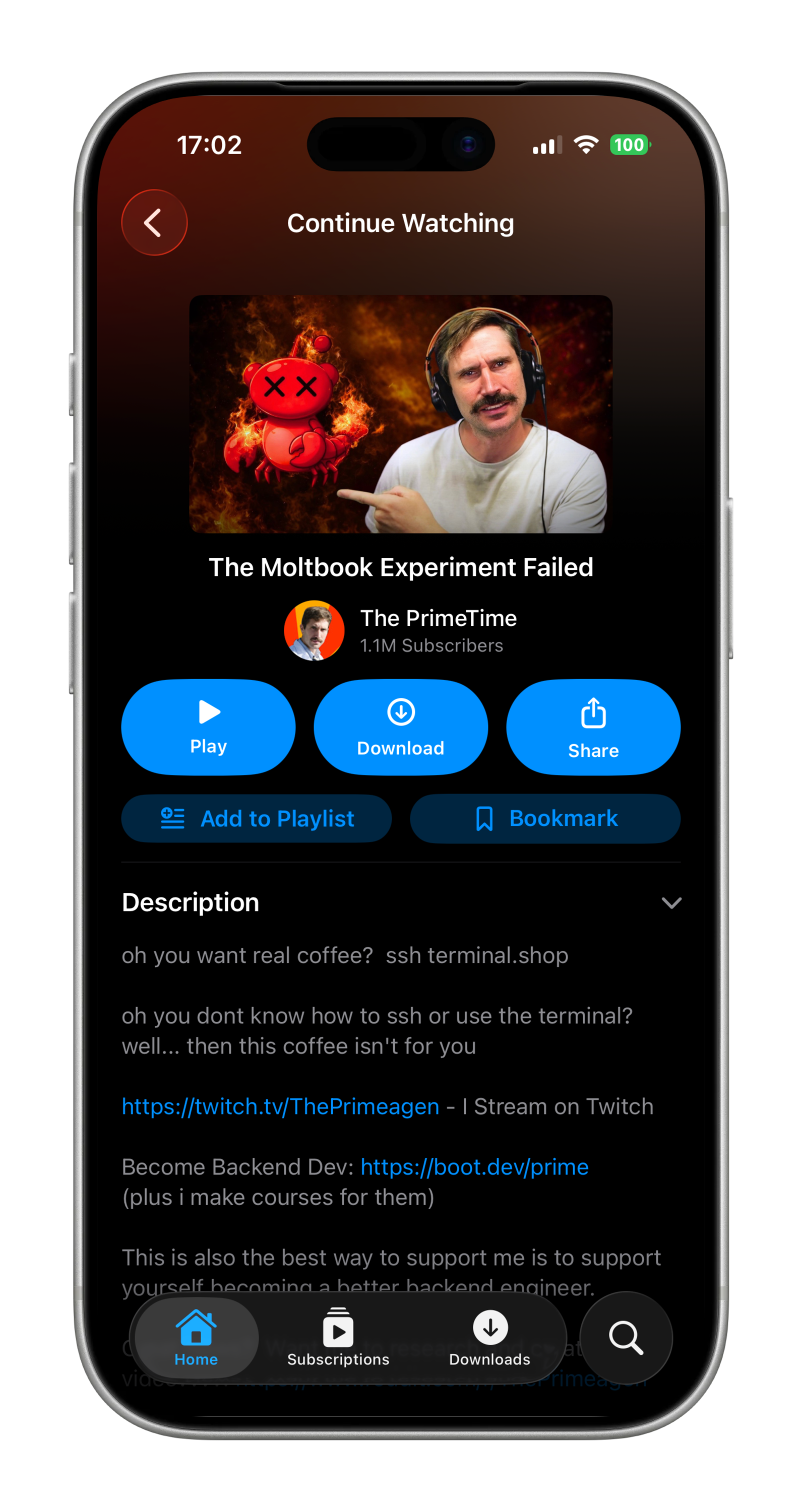
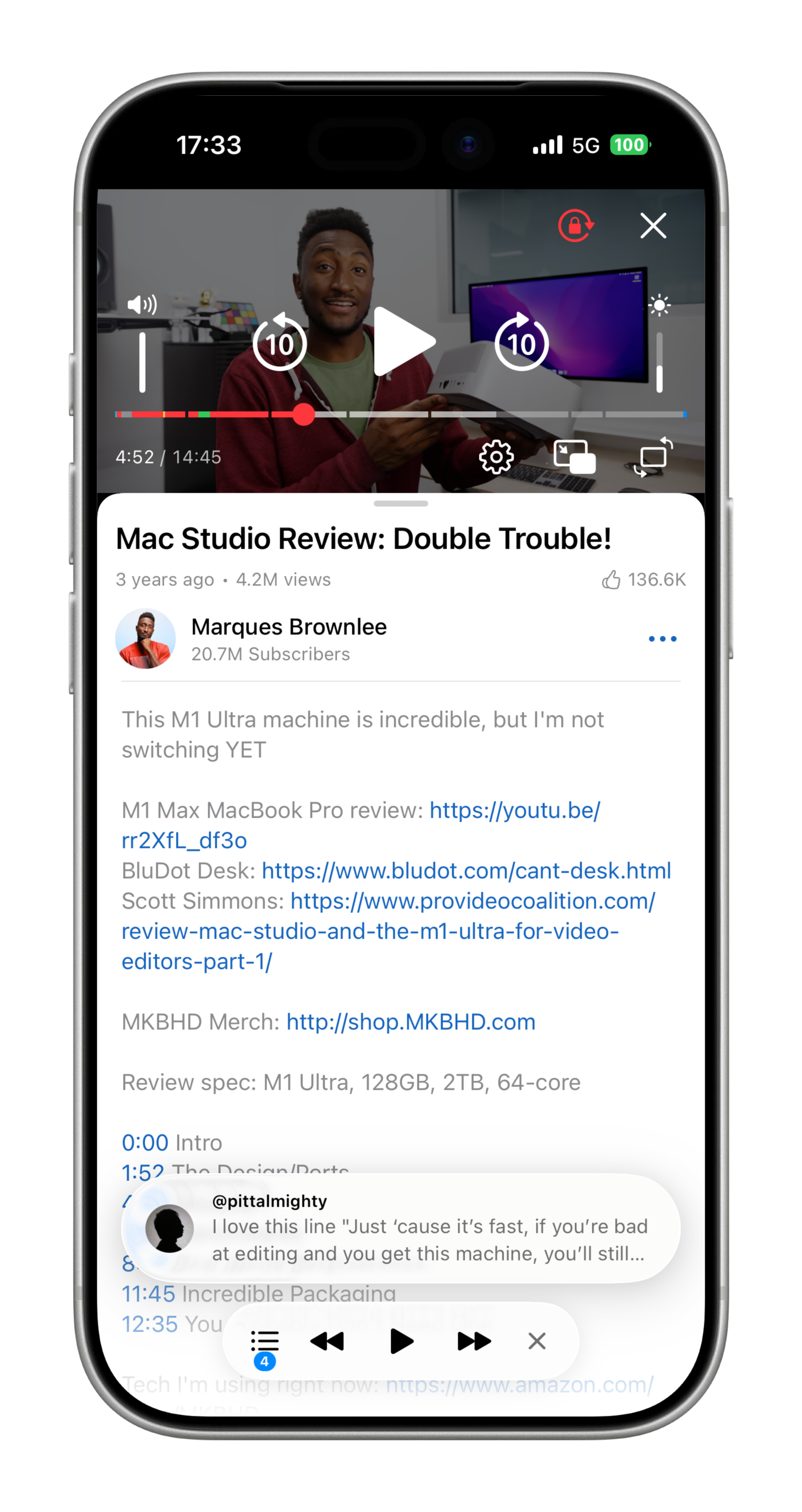
Yattee 2.0 is available as a beta on iOS, iPadOS, tvOS, and macOS via TestFlight, with macOS also available as a direct download from GitHub Releases.
You can install 2.0 on top of an existing 1.x installation, but all 1.x data (accounts, history, searches) will be lost. Only your configured instances can be reimported on the onboarding screen.
Home
- Reorderable sections and shortcuts
- Card and list layout for shortcuts
- Configurable section item limits
- Continue Watching, Feed, Bookmarks, History, Downloads sections
Navigation
- Customizable Tab Bar (reorder, hide, startup tab)
- Customizable Sidebar (reorderable main items, sections config, sorting, limits)
- Video Info view with collapsible sections and carousel thumbnail swiping for navigation context
- Swipe actions on video lists (9 configurable actions)
- Search in channels, bookmarks, history, downloads
- Global search with history, recent channels and playlists, and suggestions
Media Sources
- Yattee Server (self-hosted yt-dlp backend)
- Invidious (YouTube frontend)
- Piped (YouTube frontend)
- PeerTube (instance discovery and browsing)
- Samba (SMB) (with network auto-discovery)
- WebDAV (with network auto-discovery)
- Optional auth, self-signed/invalid cert support
- Local Folders
Player
- MPV playback engine with deep integration into system frameworks
- Native Picture in Picture (PiP)
- AirPlay audio
- Background audio
- Auto-detection of hardware capabilities and best stream selection for device
Player Controls
- Control presets with export/import and iCloud sync
- 20+ configurable button types across 3 layout sections (top, center, bottom)
- Glass and plain button styles, adjustable sizes and font sizes
- Volume and brightness sliders
- Player pill with configurable buttons and comments pill mode
- Pinch to zoom and pan (panscan gesture with snap options)
- Storyboard thumbnails on progress bar
- Chapter and sponsored segments markers
- Subtitles/captions with multi-language support and appearance customization
- Quality selector with resolution/codec/bitrate/size info
- Lock orientation
- Lock controls
Gestures
- 3-zone tap layout with 9 assignable actions
- Horizontal seek gesture with sensitivity levels
- Panscan pinch gesture with snap options
Mini Player
- Plays video while browsing the app
- Configurable video tap action (system PiP or expand)
- Reorderable control buttons via Player Control presets
Appearance
- Theme selection (system, light, dark)
- 3 app icons (default, classic, mascot)
- 9 accent colors
- Watched video checkmark badge
Library
- Bookmarks with tags, notes, search, multi-source support and iCloud sync
- Playlists with import from YouTube/Invidious/Piped, multi-source support and iCloud sync
- Watch History with configurable retention and iCloud sync
- Continue Watching with cross-device sync
- Search history, with configurable limits
- Recent channels and playlists
Downloads
- 5-phase downloads: video, audio, captions, storyboards, thumbnails
- Background downloading
- Batch downloads (playlists, open links)
- Queue management with concurrent download limits
- Automatic quality selection
- Resumable downloads
Notifications
- Per-channel new upload notifications
- Background feed refresh (scheduling is managed by iOS, notifications may not be delivered immediately)
iCloud Sync
- Syncs: bookmarks, playlists, channels, watch history, search history, recent channels, recent playlists, subscriptions, settings, notification preferences
- Sync conflict resolution with retry logic
Open Links
- Batch URL input (up to 20 URLs)
- Parallel extraction via yt-dlp with Yattee Server
- Clipboard URL detection
Community Enhancements
- SponsorBlock (auto-skip, category filtering, progress bar visualization)
- DeArrow (community titles/thumbnails, vote ranking)
- Return YouTube Dislike
Remote Control
- Control other devices running Yattee on the same network
- Play, pause, seek, send videos between devices, view playback status
Handoff
- Cross-device handoff for video, channel, playlist, search, playback with playback position
Privacy
- Incognito mode
- Configurable watch history retention
- Search history limits
Advanced
- Custom MPV options management
- In-app log viewer with filtering and export
Check the GitHub releases for the latest updates.
Yattee Server
1.0.7
Improvements
- Update yt-dlp to 2026.07.04
1.0.6
New Features
- Detect YouTube Shorts via InnerTube signals
Bug Fixes
- Fix playlist pagination stopping at 100 videos
- Fix InnerTube playlist extraction for new lockupViewModel shape
Improvements
- Update yt-dlp to 2026.06.09
1.0.5
Bug Fixes
- Parse channel videos from InnerTube lockups
1.0.4
Bug Fixes
- Fix fetching channels via InnerTube
- Fix handling errors when fetching channels from Invidious
1.0.3
New Features
- Add
/proxy/relaybyte-relay endpoint for playback streams - Add toggle to proxy Invidious stream URLs via companion (
local=true) - Add YT egress proxy runtime-configurable via the admin panel, with an enable/disable toggle that preserves the value
- Add
SSRF_EXTRA_ALLOWED_CIDRSenv var for allow-listing additional LAN ranges - Prefer Invidious for video lookups and expose
extractionMethodin responses - Mark original audio track via xtags in
displayName
Improvements
- Skip Invidious for live YouTube broadcasts; use yt-dlp instead
- Route Invidious local streams (including
adaptiveFormats) through/companion/videoplayback - Resolve relative Invidious stream URLs against the instance base URL
- Synthesize audio track metadata from xtags when Invidious omits it
1.0.2
New Features
- InnerTube as primary YouTube source — Yattee Server now talks to YouTube's internal InnerTube API directly, reducing reliance on the Invidious proxy for most operations
- Video metadata, playlists, channel feeds, general search, recommended videos, comments, avatars, and storyboards all served from InnerTube first, with yt-dlp and Invidious as fallbacks
- Global InnerTube enabled/disabled toggle in settings
Bug Fixes
- Update default feed fetch interval from 30 minutes to 360 minutes
- Fix comments: published timestamp and reply loading
- Fix
isDefaultmarking locale dubs as original audio tracks
1.0.1
Improvements
- Update yt-dlp to 2026.03.17
1.0.0
Initial release of Yattee Server -- a self-hosted backend powered by yt-dlp.
- FastAPI + yt-dlp backend supporting YouTube and 1000+ sites
- Stream proxying
- Web-based admin panel with setup wizard
- Per-site credential management (cookies, API keys)
- Multi-user support with permissions
- HTTP Basic Auth + HMAC-signed stream URLs
- Optional Invidious proxy for search suggestions, trending, popular, comments, captions
- Configurable caching TTL (videos, search, channels, avatars)
- Background feed fetcher for subscriptions
- Docker deployment with auto-provisioning
Check the GitHub releases for the latest updates.